
Read Chinese Anywhere: The HSK Training Chrome Extension
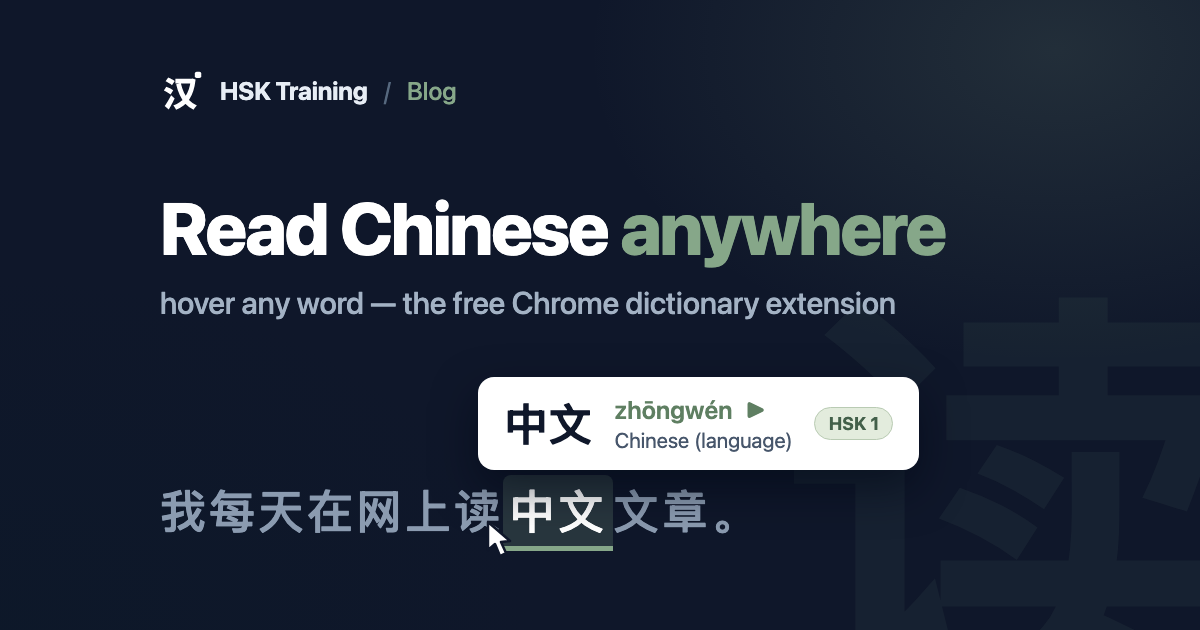
Most of the Chinese you could be reading isn't in a textbook. It's in Weibo threads, news articles, song lyrics, menus, and the caption under a video someone sent you. The gap between "I studied this level" and "I can read this page" closes with exposure — but stopping to copy every unknown word into a dictionary app kills the reading before it starts.
So we built the HSK Training Chrome extension: hover any Chinese word on any website and a small popup shows its pinyin, meaning, HSK level, and a play button for pronunciation audio. If you're signed in, one more click saves the word straight into your Learn queue, where the spaced-repetition scheduler takes it from there.
What makes it HSK-native
Plenty of hover dictionaries exist. This one speaks HSK:
- Every word shows its HSK level (HSK 3.0, levels 1–6), so you know at a glance whether an unknown word is one you should chase now or leave for later.
- Audio on every word — the same pronunciation audio used across HSK Training, one click away in the popup.
- Save is not a bookmark — saving a word adds it to your learning queue on hsk.training, so a word you met "in the wild" enters the same review schedule as the rest of your vocabulary, on the web and in the mobile app.
- Traditional characters are understood and mapped back to their simplified HSK forms.
Lookups stay on your machine
The full dictionary — the ~11,000 curated HSK words from hsk.training plus a complete CC-CEDICT fallback — ships inside the extension. Hovering a word is a purely local lookup: it works offline, it's instant, and no text from the pages you read is ever sent anywhere. The network is touched only when you ask for it: playing audio or saving a word to your account.
Getting started
- Install the extension from the Chrome Web Store — it's free.
- Open any page with Chinese text and hover a word.
- Optional but worth it: connect your HSK Training account when prompted (or from the extension's menu) to enable one-click saving into your reviews.
Prefer the keyboard? Alt+Shift+L looks up the currently selected word — no mouse
hover needed — and Alt+Shift+H toggles the dictionary on the current site.
What's next
The extension is the first step toward something bigger: a personal graded reader. Because HSK Training already knows which words you've mastered and which you're still learning, a future update can highlight exactly the words on a page that are due for you, and score any article by how readable it is at your level. If you want to shape that, tell us what you'd like it to do.